

Chapter 6 of 12 · min 13:51 to 19:31
How the Detrics warehouse works under the hood
The full Detrics warehouse pipeline: data sources, table groups, transfers and destinations. How incremental deduplication keeps the history fresh forever.
Watch on YouTube (from 13:51) · Spanish audio
The full pipeline
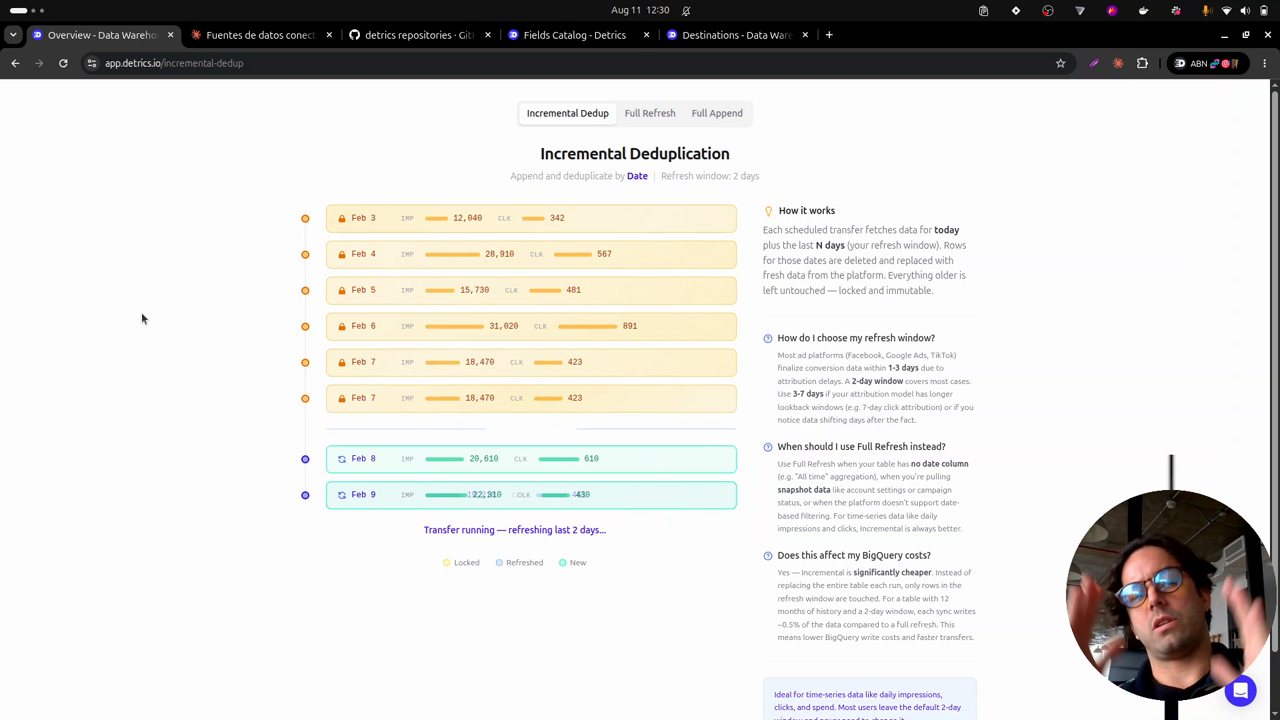
While Claude designs the table groups, the video walks through how the warehouse works. The flow has four parts: the data sources (the Meta and TikTok accounts you want to store), the table groups (the data schema), the transfers (the download itself) and the destination (where the data lands in your Google Cloud).
The recurring problem: volume and images
Ad-level data is the most voluminous of all: account, campaign, ad group and ad, day by day. At that volume Google Sheets saturates: you hit the 10-million-cell limit, you can’t build more dashboards, and the ones you have turn slow. And the ad images don’t get stored: the platforms hand out URLs that expire.
How incremental deduplication works
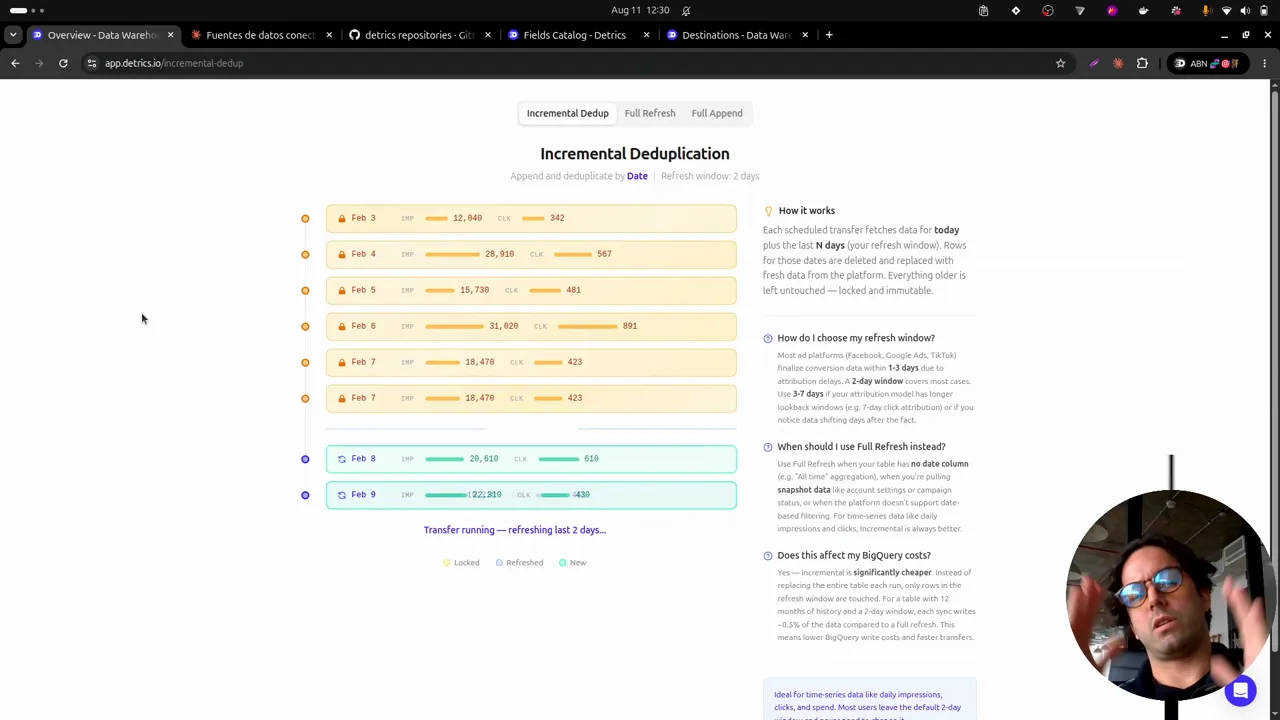
Once the schema is designed, the transfer to BigQuery uses incremental deduplication: the most efficient way to download data, minimizing both BigQuery cost and platform API errors.
The mechanism: the history downloads once, going back in time. From then on, each day the data inside the deduplication window (two days, in the demo) gets deleted, fetched fresh, and written back along with today. Recent data gets replaced; historical data is never touched.
We call that historical data golden: it stays forever, with the images stored in your own cloud. So you can compare this year’s experiments against last year’s, or the year before, without losing anything.
Why you should set this up today
The platforms keep deleting the past. As of the video’s date (August 11, 2026), Meta only stores the last 3 years: the fourth year is being erased day by day. If you have clients older than 3 years (the case for many agencies), you’re losing the record of the work you did.
That’s why it matters to configure these transfers as soon as possible: download the available history so it becomes permanent, and let incremental deduplication store everything new from here on, for as long as the client relationship lasts.
Frequently asked questions
What are the parts of the Detrics warehouse pipeline?
Four entities: data sources (your connected accounts), table groups (the schema of what gets stored), transfers (the download and refresh), and the destination (the BigQuery dataset in your own Google Cloud).
Why is setting up the historical load urgent?
Because the platforms delete the past on a rolling basis. Meta keeps only the last 3 years: every day that passes without a transfer configured is a day of history lost forever.
What happens to the data once it's past the refresh window?
It becomes 'golden' data: permanent history that's never touched again, with the ad images already stored in your cloud. Only the recent window keeps refreshing.
All chapters in this series
- 0:00 1. The problem: ad-level data
- 2:19 2. The solution: warehouse, history and incremental deduplication
- 5:15 3. A look at the final result in BigQuery
- 8:27 4. Step one: connect Claude to Detrics via MCP
- 11:02 5. Step two: explore the sources and design the data schema with Claude
- 13:51 6. How the Detrics warehouse works
- 19:31 7. The table groups created in Detrics
- 22:04 8. Step three: create the destination in your own Google Cloud
- 25:27 9. Step four: transfers and the historical load
- 30:53 10. The data in BigQuery: tables, rows and creatives in your bucket
- 33:19 11. Analyzing the data with Claude and the BigQuery MCP
- 37:41 12. Final step: the unified Meta + TikTok view
Want to build this with your own data?
