

Chapter 4 of 12 · min 8:27 to 11:02
How to connect Claude to Detrics via MCP
Step by step to connect Claude to Detrics using a custom MCP connector: mcp.detrics.io. In two minutes, Claude can see your marketing data sources and your warehouse.
Watch on YouTube (from 8:27) · Spanish audio
Add the custom connector in Claude
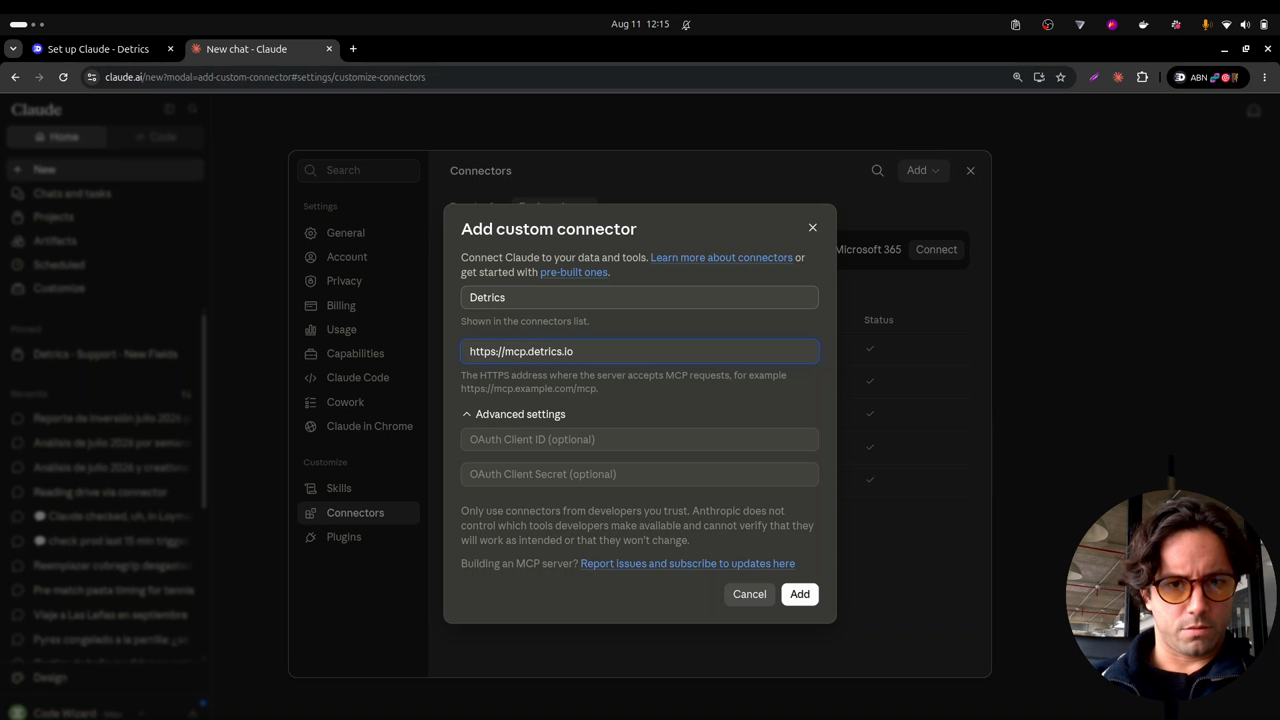
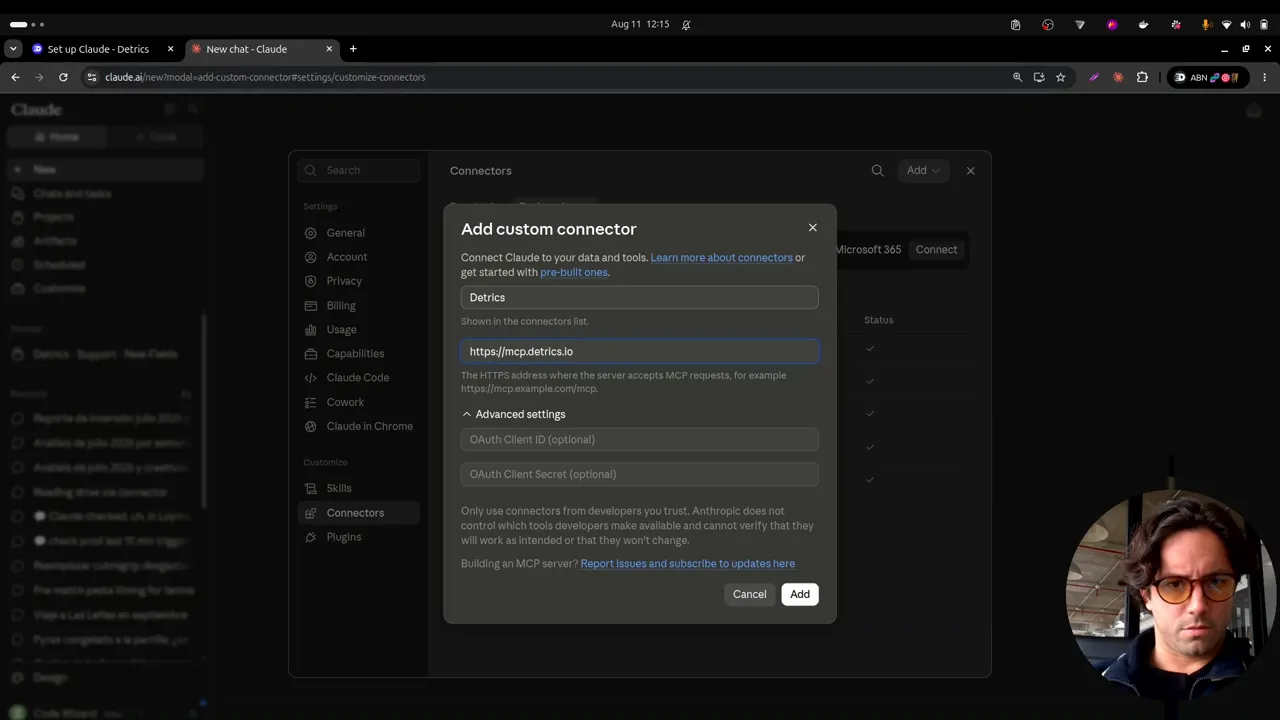
Connecting Claude to Detrics is very simple. The Detrics web app has the step by step in Overview; the video shows it directly in Claude:
- Go to Claude web and open Settings, bottom left.
- Enter Connectors and choose Custom connector.
- Name it Detrics and type mcp.detrics.io as the URL.
- Complete the authorization flow, and that’s it: Detrics is connected.
Verify the connection works
To check everything went well, ask Claude about your data sources:
Use the Detrics MCP: check which data sources I have connected.
When you see Claude using Detrics as an MCP and answering with your sources (in the video: Google Analytics 4, Facebook Ads with 133 unique accounts, TikTok Ads, and so on), the connection is working. You can verify it matches what the web app’s data sources section shows.
The starting point: an empty warehouse
With the MCP running, you can also ask Claude what’s in the warehouse. In the demo, the answer is that it’s practically empty: just one destination created. The series starts from zero to design a digital marketing database architecture that stores ad-level data from Meta and TikTok.
Frequently asked questions
What do I need to connect Claude to Detrics?
A Detrics account with your data sources connected, and Claude (web or desktop). The connector is added from Settings → Connectors → Custom connector, with the URL mcp.detrics.io.
How do I verify the MCP connection works?
Ask Claude to use the Detrics MCP to list your connected data sources. If it answers with the same accounts you see in the Detrics web app, the connection is good.
All chapters in this series
- 0:00 1. The problem: ad-level data
- 2:19 2. The solution: warehouse, history and incremental deduplication
- 5:15 3. A look at the final result in BigQuery
- 8:27 4. Step one: connect Claude to Detrics via MCP
- 11:02 5. Step two: explore the sources and design the data schema with Claude
- 13:51 6. How the Detrics warehouse works
- 19:31 7. The table groups created in Detrics
- 22:04 8. Step three: create the destination in your own Google Cloud
- 25:27 9. Step four: transfers and the historical load
- 30:53 10. The data in BigQuery: tables, rows and creatives in your bucket
- 33:19 11. Analyzing the data with Claude and the BigQuery MCP
- 37:41 12. Final step: the unified Meta + TikTok view
Want to build this with your own data?
