

Chapter 4 of 6 · min 8:52 to 17:39
How to create the BigQuery tables and transfers with Detrics presets
Using Detrics presets (Google Ads, Meta, Pinterest and GA4 traffic acquisition), previewing fields, creating daily-frequency transfers and loading up to 6 years of history.
Watch on YouTube (from 8:52) · Spanish audio
Create the table groups with presets
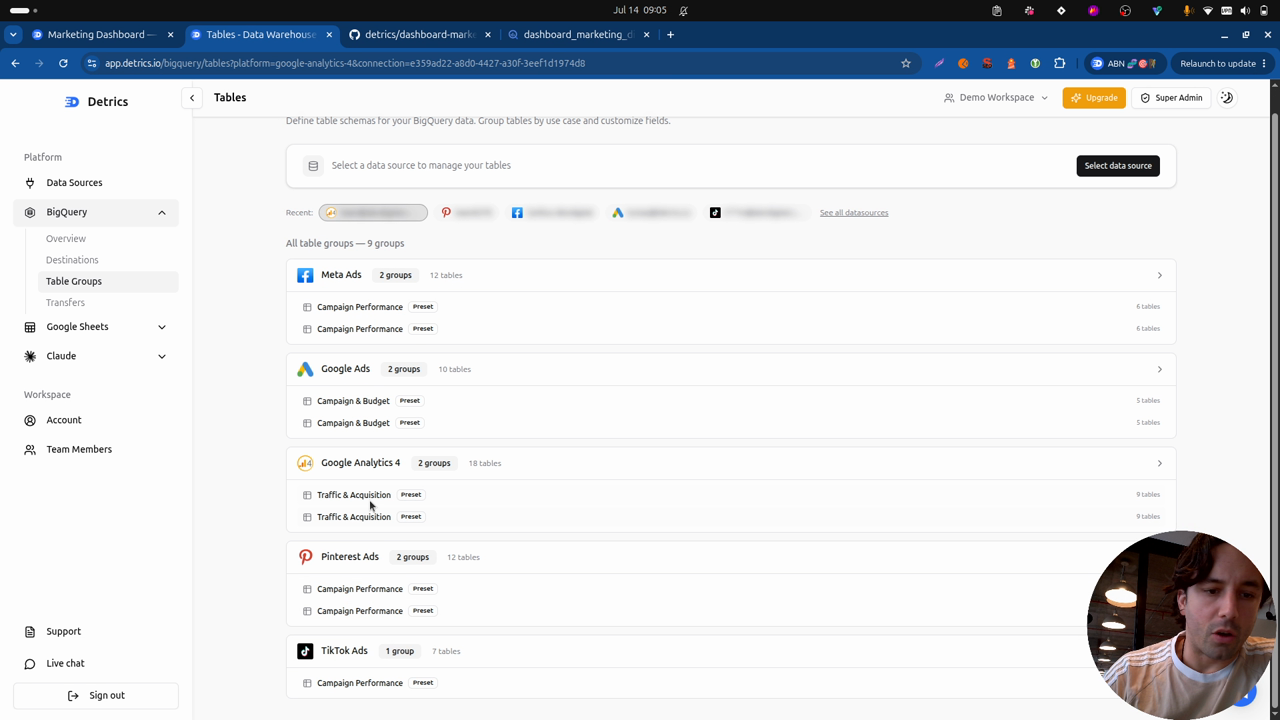
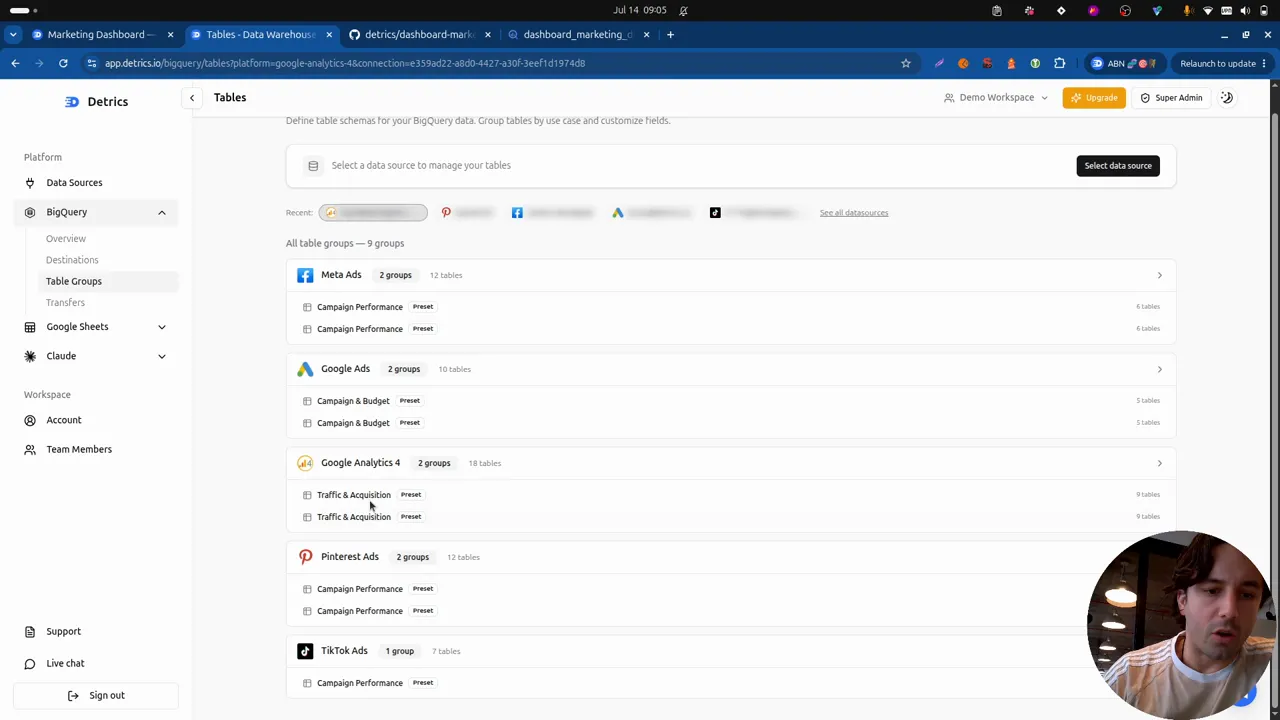
For every data source, Detrics ships a set of presets: pre-built tables with what’s commonly used on each platform. For this demo’s dashboard:
- Google Ads: the campaign and budget preset. It has every field needed.
- Meta: the campaign preset.
- Pinterest: the campaign preset.
- GA4: the traffic acquisition preset (it comes with several tables; the dashboard uses one).
Clicking any table in the group previews how the data will look in the final BigQuery table, and you have full freedom to pick the fields you want to bring. There’s a lot more data available than what this demo’s schema uses.
Create the transfers
With the table groups ready, the transfers come next: click create transfer, pick the accounts (three, as a test, or sync all to sync every current and future account, something our customers use a lot), the destination the data goes to, and the update frequency: daily is perfect.
The same path repeats for any table group. There are more configuration options for the more technical folks (each table’s sync type, the incremental deduplication refresh window), but the presets already come configured right.
The historical load and the steady state
The first load can take a while: in the video, one transfer pulled half a million rows in 39 minutes, and with sync all it can stretch into days. This feature can download up to the last 6 years of data, which matters if you care about the historical record of the accounts you manage. When it finishes, you get an email.
The following downloads are much smaller: thanks to incremental deduplication, only the configured window gets refreshed (here, the last 12 days), which is the data still shifting day to day. It’s the most efficient approach: it minimizes BigQuery cost and latency, and enables real-time dashboards.
From each table’s name in Detrics, one click takes you to BigQuery: there sit the four transfers’ tables with all the data loaded, a classic paid media dataset ready for Claude to work with.
Frequently asked questions
What are Detrics table presets?
Pre-built table groups with the fields most commonly used for each data source. For this dashboard, the campaign and budget preset on Google Ads, campaign on Meta and Pinterest, and traffic acquisition on GA4 are all you need.
How much history can the first transfer load?
Up to the last 6 years of data, depending on the platform. The first run downloads the full history (in the video: half a million rows in 39 minutes) and the following ones only the recent window.
What is sync all?
An option that syncs all your accounts, current and future, in the same transfer. It's popular with customers managing dozens of accounts who don't want to add them by hand.
Do I have to configure the refresh window myself?
No need: the presets ship with the right configuration. If you're more technical, you can adjust each table's sync type and the incremental deduplication refresh window.
All chapters in this series
- 0:00 1. A look at the final dashboard
- 4:24 2. Architecture and steps to build it
- 6:51 3. Step one: connect data sources and destinations with Detrics
- 8:52 4. Step two: create the tables and transfers to BigQuery
- 17:39 5. Step three: consolidate the tables and build the dashboard with Claude Code
- 31:46 6. Final step: deploy with Vercel
Want to build this with your own data?
